Live content is only available to users in the Washington, DC viewing area, which has a broadcast radius of a 150-mile radius from Washington, DC. Live games are limited to this area.
Check your availability
Visit https://www.monumentalsportsnetwork.com/check-service to verify if your location is eligible to subscribe.
Getting "Outside of Viewing Area” error:
Please close the application and relaunch it, then follow these steps to update your Zip Code location:
Launch the Monumental Sports Network app
Login into the app if not already logged in
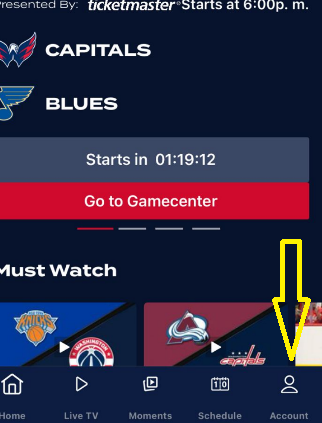
Go to Account.
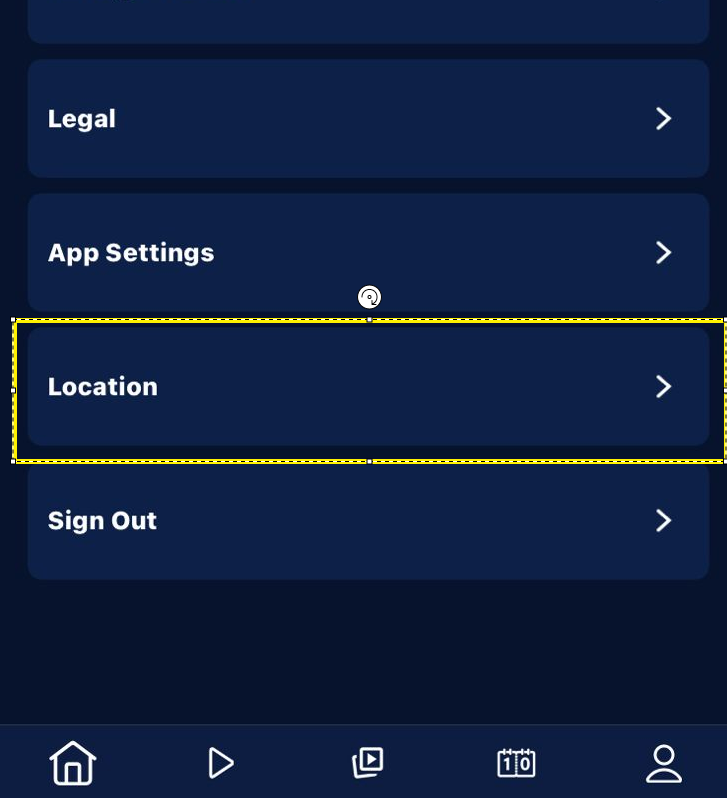
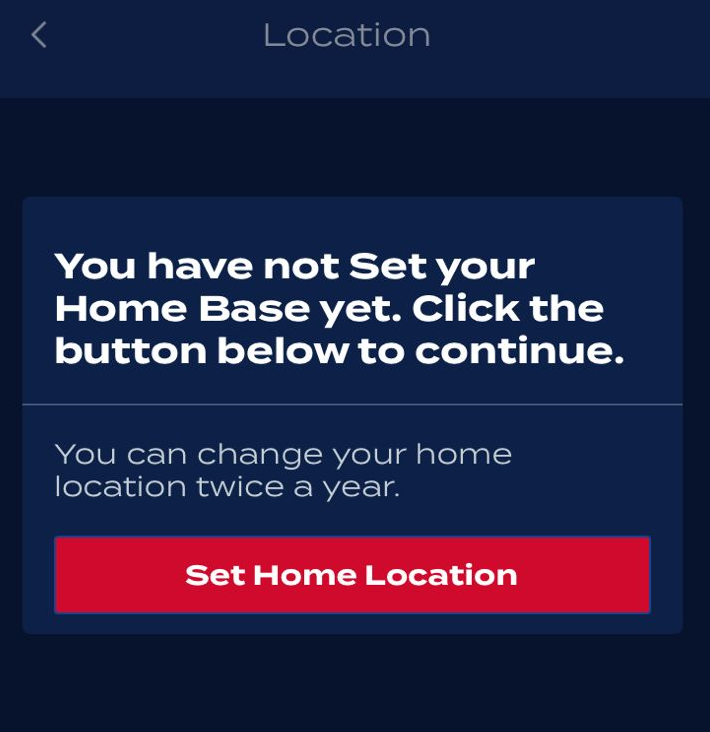
From the Location section, select "Change Home Location" or "Set Home Location"
This error means the service cannot verify that you are within the designated broadcast territory.
Turn off VPNs and Proxies: You must disable any VPN or proxy service, as these mask your true location and will block the stream.
Enable GPS: Ensure location services (GPS) are activated on your device.
Starlink Users: If you are using Starlink, you must access the app on a mobile device with GPS capabilities. We recommend setting up Home-Based Authentication (HBA) from your mobile device while connected to the same Starlink WiFi network that your other TV devices will use.
Was this article helpful?
That’s Great!
Thank you for your feedback
Sorry! We couldn't be helpful
Thank you for your feedback
Feedback sent
We appreciate your effort and will try to fix the article